 Open Historia
Events and History
How a turn's events are revealed one at a time, what they change, interactive events, and how the world remembers them.
Events are what a time skip produces. Each one is a piece of narrated history — a crisis, a treaty, a battle, an election — and most of them carry real changes to the world attached.
Open the history with « on the date pill.
Events change things
This is the part that matters. An event is not just a paragraph of flavour text: alongside the prose it can carry instructions that actually move the world.
An event can transfer regions between countries, occupy or contest them, add or withdraw claims, spawn or move or destroy units, build and rename structures, change a country's statistics or leader, deploy or recall spies, open new diplomatic conversations, and carry documents — a secret protocol, a private letter, an intelligence assessment — that only some governments get to read.
That is why the map changes as you read. The narration and the mechanical change are the same object, so the world can never tell you one thing and do another — an event describing captured territory has to ship the border change with it.
The staged reveal
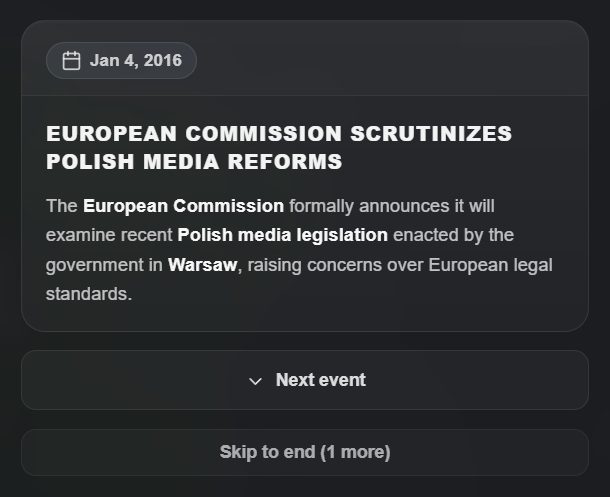 Events are revealed one at a time, with the map changing as each lands.
Events are revealed one at a time, not dumped as a list.
The Events panel opens as soon as a skip starts and fills as the model writes, so you can begin reading before the turn has finished (Gemini delivers everything at once, so there it all arrives together). When you open the history for a fresh turn, the map rolls back to how it looked before the jump. Each time you press Next event, that event's changes are applied on top — the border moves, the unit appears, the flag changes — and the camera flies to whatever the event concerns.
Skip to end fast-forwards the remaining events and snaps the map to the final state.
You can leave the reveal at any point, and a reload resumes it where you left off. Until the reveal reaches an event, nothing else shows it to you either — not the advisor, not a leader answering a letter, not the copy an agent stole in it.
✋ Intervene here stops the round at the event you are looking at: what you have seen is kept, the rest never happens, and the date becomes that event's. See time and turns.
Event cards
Each card has the event's date, its title and a description that says what happened — who, where, with what — in a paragraph or two rather than a fixed word count. Below it are chips for the countries, regions, formations and structures the event is about; click one and the map flies there. A document that reached you through the event is shown on its card, a click away.
If the camera movement is distracting, Settings → Map → Disable camera movement during events turns it off and leaves you in control.
Reading a turn well
- Look for your orders. Events reference the orders they resolve. If nothing references an order you queued, it was too vague to act on, or it needs more time.
- Watch what you did not cause. Other countries act on their own agendas. The events you did not initiate are usually the important ones.
- Notice what has opened rather than closed. A crisis that begins this turn is the thing to plan around next turn.
- Small jumps, more detail. A year compressed into one turn loses the texture. See time and turns.
Major and minor
Country panels let you filter their event history by All, Major or Minor. Major events are the ones that reshaped something; minor ones are the connective tissue. When catching up on a country you have not watched for a while, Major is the fast read.
Event categories
Every event carries up to three category tags, drawn from a fixed set of six:
Military · Diplomacy · Economy · Politics · Culture · Disaster
The history panel shows a filter chip for each category present in that turn — you never see a chip for a category nothing matched. Use them to read a busy turn one thread at a time: all the military events, then all the diplomacy.
The categories are fixed. The model cannot invent a seventh, and anything it returns that is not one of the six is dropped. Older events without tags are always shown.
Events kept off the timeline
After a skip, a check takes repeats and filler off the timeline — events that restate the record, or report a meeting with no outcome. Events with hard consequences (territory, units, structures, chats, renames, war records) always stay. With Save AI requests on this check shares the one after-skip request; it can be turned off in Settings → AI.
On beta you see what was kept off, and why. While the skip is written, a card that will not make the timeline is greyed as it arrives, with the reason, and is left out of the map staging. When the turn lands they are folded under its cards — "N events kept off the timeline" — each marked Off the timeline (it happened, and the Projects board still reads it) or Not recorded (a repeat, or impossible in this world).
Interactive events
An interactive event is a moment of the campaign played out beat by beat — a summit, an ultimatum, a night in a bunker — then written into the record as one event.
You do not start one yourself. Now and then a time skip offers one of its own events: one about you, of real weight, written by the simulation. Its card carries a yellow ⚡ strip with Play it out and Let it pass, and the time panel mentions the offer until the next skip replaces it. A skip with such an event makes an offer one time in three, and never within three turns of the last.
Play it out opens the scene on that event. You can add an angle of your own — what you want the scene to be about — then play it: take one of the offered choices or write your own move, take a move back and choose again, and finally End the scene, which writes it into the record, or Set aside, which writes nothing. Time stands still while a scene is in progress: the skip controls lead back to it.
What it costs, as the panel says beside the buttons: starting is one request, each move one more, ending one more; letting it pass, taking a move back and setting a scene aside cost nothing.
The cheats panel's Interactive Event tool plays any event on the record out the same way.
What the world remembers
The timeline keeps every event. What the model is shown is different: the newest 24 events always in full, and older ones folded into a history document — one living account of the campaign that the AI rewrites as each new period is folded in, condensing unimportant older material to keep it around 1,500 words. A fold happens every fifth round, or sooner when 48 events have piled up. So the world still knows that a war happened in year two even though it no longer reads every event from it.
This matters for long campaigns: the model's sense of your history stays coherent without the context growing without limit. It also means very old, very specific details fade. You can read and edit the document yourself — Cheats → History Document — and if something is load-bearing for your plans, put it there, or make it a standing Simulation Reminder.
Countries also keep their own diplomatic memory of conversations with you, separately from the event history. See diplomacy.
Before round one
A scenario can carry a World Before Round One briefing. On the first turn of a new campaign, the game uses it to generate the recent history that led to the situation you have inherited, including the wars already running and the relationships already soured.
It happens once, and it is what stops turn one feeling like the world began five minutes ago.
If a turn produced nothing useful
Two options.
Undo the turn from the time panel and try again with different orders — the world is re-simulated, so you will not get the same events back.
Author it yourself. The cheats panel has an event editor for writing, editing or deleting canonical events by hand, and a GM console for describing a change in plain English and having it applied properly. The next skip is told about every change made this way, as fact, so it does not undo or re-explain it. Both are legitimate ways to keep a campaign on the rails when the simulation wanders.
Next
- Giving orders — writing the instructions events resolve.
- Territory — what an event is allowed to do to borders.
- Cheats and the GM console — editing history by hand.
Open Historia is under active development on two channels, and this
wiki is written by hand — a page can fall behind a release. Last checked against the game on 2026-09-24 · main e62a1c55 · beta 2f48a6c2. If something
here does not match what you see in the game, trust the game and
say so on Discord.